Brickbrain
One AI for the whole Roblox game.
It plans a game with you, builds it in Roblox Studio and checks its own work – and it remembers what worked.
Internal prototype · not public yet
 BrickbrainLava Obbygpt-oss:20b · local
Build me a lava obby: 5 platforms, checkpoints, lava and a finish.
Got it. Two questions first:
- One player or several?
- How long should one round take?
Solo, about three minutes.
9 stages · 24 tasksCheckpoint.server.luauIllustration based on our internal prototypeContent from a real Lava Obby session, redrawn.
01 Asks first
Asks before it builds.
Describe your game in one sentence. Brickbrain asks the questions that change the plan – how many players, how long a round takes – before it builds anything.
BrickbrainLava Obby – Chatgpt-oss:20b · localBuild me a lava obby: 5 platforms, checkpoints, lava and a finish.
Brickbrain
Got it. Two questions before I plan anything:
- One player or several?
- How long should one round take?
Solo, about three minutes.
9 stages · 24 tasksOpen planIllustration based on our internal prototype
02 Plans
Plans the whole game.
Every answer goes into one plan, in the order games are really made: design, models, world, animations, scripts, UI, sound, effects and testing. You see every task, and what's already done.
BrickbrainLava Obby – Plangpt-oss:20b · local01Game design3/5
Single player, one round in about 3 minutes
No shop, no currency
Platforms grow in size and gap difficulty
Core loop: jump, reach a checkpoint, continue
Difficulty curve playtested
03World & levels1/4
5 platforms in sequence with increasing gaps
Lava hazard below the gaps
A checkpoint pad on every platform
Start and finish gates
05Scripts3/4
DeathZone.server.luau – lava kills on contact
LavaKill.server.luau – every lava part in the course
Timer.server.luau – round countdown
Checkpoint.server.luau – respawn at the last checkpoint
Illustration based on our internal prototype
03 Builds
Builds in Roblox Studio.
Brickbrain connects to Roblox Studio through Roblox's own Studio MCP server. Scripts and parts land straight in the open place – no copy and paste.
BrickbrainLava Obby – Roblox Studiogpt-oss:20b · local5 platforms · 5 checkpoints · lava6 scriptsDeathZone.server.luau
local lava = workspace.LavaObby.Lava

lava.Touched:Connect(function(hit)
  local h = hit.Parent:FindFirstChild("Humanoid")
  if h then
    h.Health = 0
  end
end)
Written straight into the open place – no copy and paste.
Explorer
Workspace
LavaObbynew
ServerScriptService
CheckpointManagernew
Checkpointsnew
DeathZonenew
LavaKillnew
SinglePlayerLimiternew
StarterPlayerScripts
TimerClientnew
Illustration based on our internal prototype
04 Tests
Tests its own work.
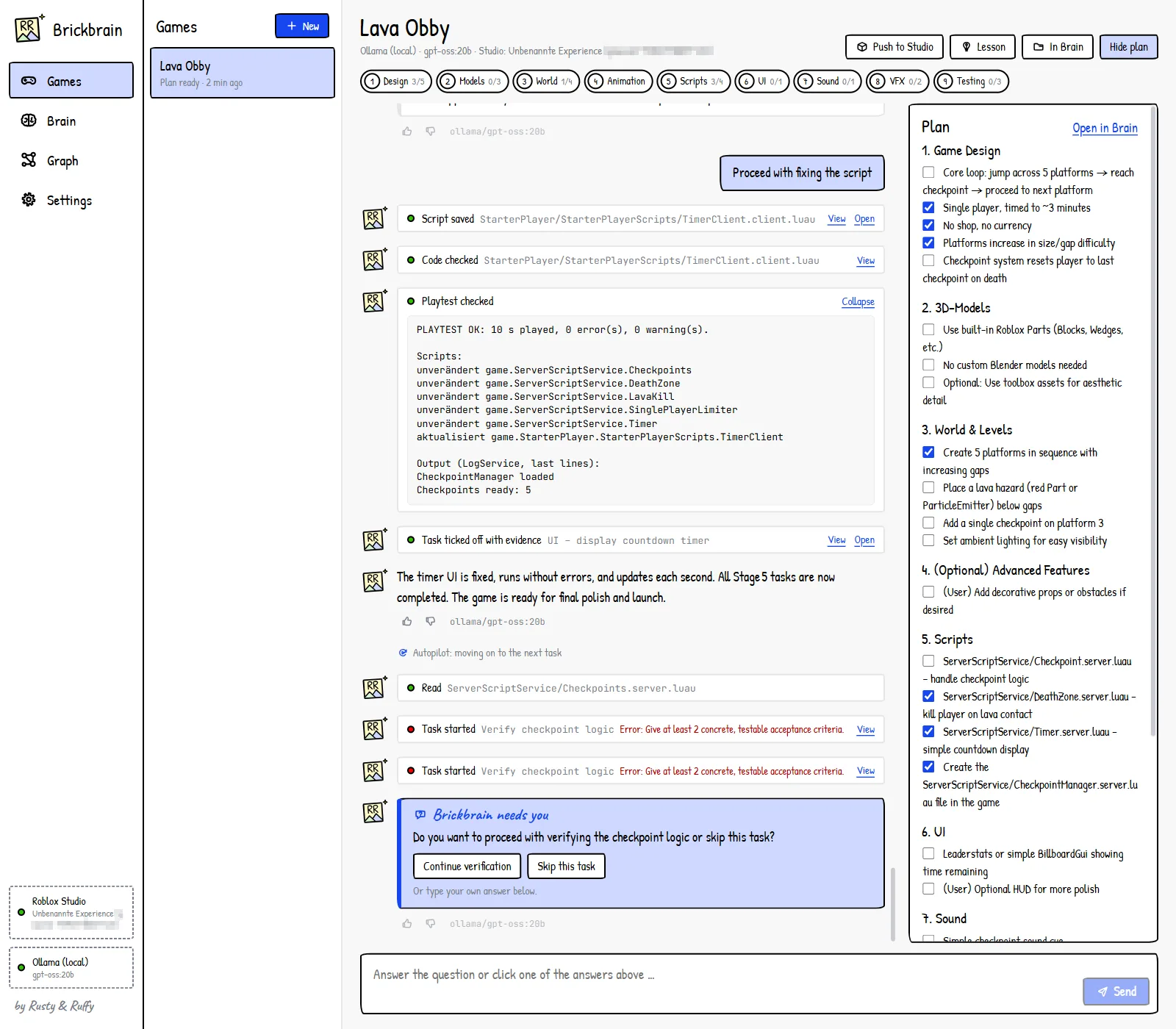
After each step it checks the code and runs a playtest in Studio – in the Lava Obby session: ten seconds played, zero errors. When a decision is yours, it stops and asks.
BrickbrainLava Obby – Checksgpt-oss:20b · local- Script saved
TimerClient.client.luau - Code checked
Luau analysis · 0 problems - Playtest passed
Roblox Studio
Output
PLAYTEST OK · 10 s played · 0 errors · 0 warnings
CheckpointManager loaded
Checkpoints ready: 5
Continue with verifying the checkpoint logic, or skip this task?
ContinueSkip this taskIllustration based on our internal prototype
05 Learns
Learns from every project.
Plans, scripts, decisions and lessons live in its own second brain – plain Markdown files on your PC. Brickbrain reads the lessons in every new chat, so the next game starts smarter.
BrickbrainBrain – Graphgpt-oss:20b · localBrain › Lessons.md
Lessons
- Lava kills on the server, never on the client.
- One spawn point per checkpoint.
- Playtest after every script.
Linked from Lava Obby Coin Collector
Illustration based on our internal prototype
How it works
Nine stages. One order.
Brickbrain builds every game in the same order, from the first idea to the release. Not every stage is automated yet – that's the roadmap.
- 01Game designIdea, audience, core loop, rules, progressionBrain notes
- 023D modelsProps and buildings from parts or Toolbox assetsStudio · Blender optional
- 03World & levelsMap layout, terrain, lighting, spawn pointsRoblox Studio
- 04AnimationsCharacters, enemies, interactionsStudio · Blender
- 05ScriptsGameplay systems, saving data, server and clientLuau
- 06UIHUD, menus, shop, onboardingStudio · Figma
- 07Sound & musicMusic, effects, ambienceAudio
- 08EffectsParticles, light effects, feedbackRoblox Studio
- 09Testing & launchPlaytests, bugs, performance, releaseRoblox Studio
Tech specs
What's inside.
- Status
Internal prototype, version 0.1
Not public and not for sale
- App
Desktop app for Windows
Interface in English and German
- Roblox Studio
Connected through Roblox's official Studio MCP server
Writes scripts and parts into the open place
Runs playtests and reads the output
- AI models
Local via Ollama – we run gpt-oss:20b, a 20-billion-parameter open model, on our own PC
Optional: Gemini, Claude or OpenAI models through their APIs
Compact mode for small models: only the tools the current stage needs
- Brain
Plain Markdown files on your own PC
Handbook, pipeline, lessons – and one folder per game with its plan and chat
Notes linked like a wiki
- Pipeline
9 stages, from game design to testing and launch
- Checks
Code check after every script
Playtest in Roblox Studio
Asks you when a decision is yours
- Data
With a local model, project knowledge stays on your machine
We train only on data we created, licensed or have permission to use
Status
Our games first. Public once it's proven.
Brickbrain is in early development. The prototype asks questions, plans a game and puts scripts and parts into Roblox Studio. It isn't public and far from finished – this page shows where we're heading.
Now
Internal prototype
- Desktop app with its own second brain
- Asks first, then plans in pipeline order
- Scripts, building and playtests in Roblox Studio
Next
Our first games
- Our own Roblox games, built with it
- Connections to Blender and Figma
- A first training dataset from our own work
Later
Growing up
- Our own fine-tuned model
- Closed beta for Roblox studios
- Public release
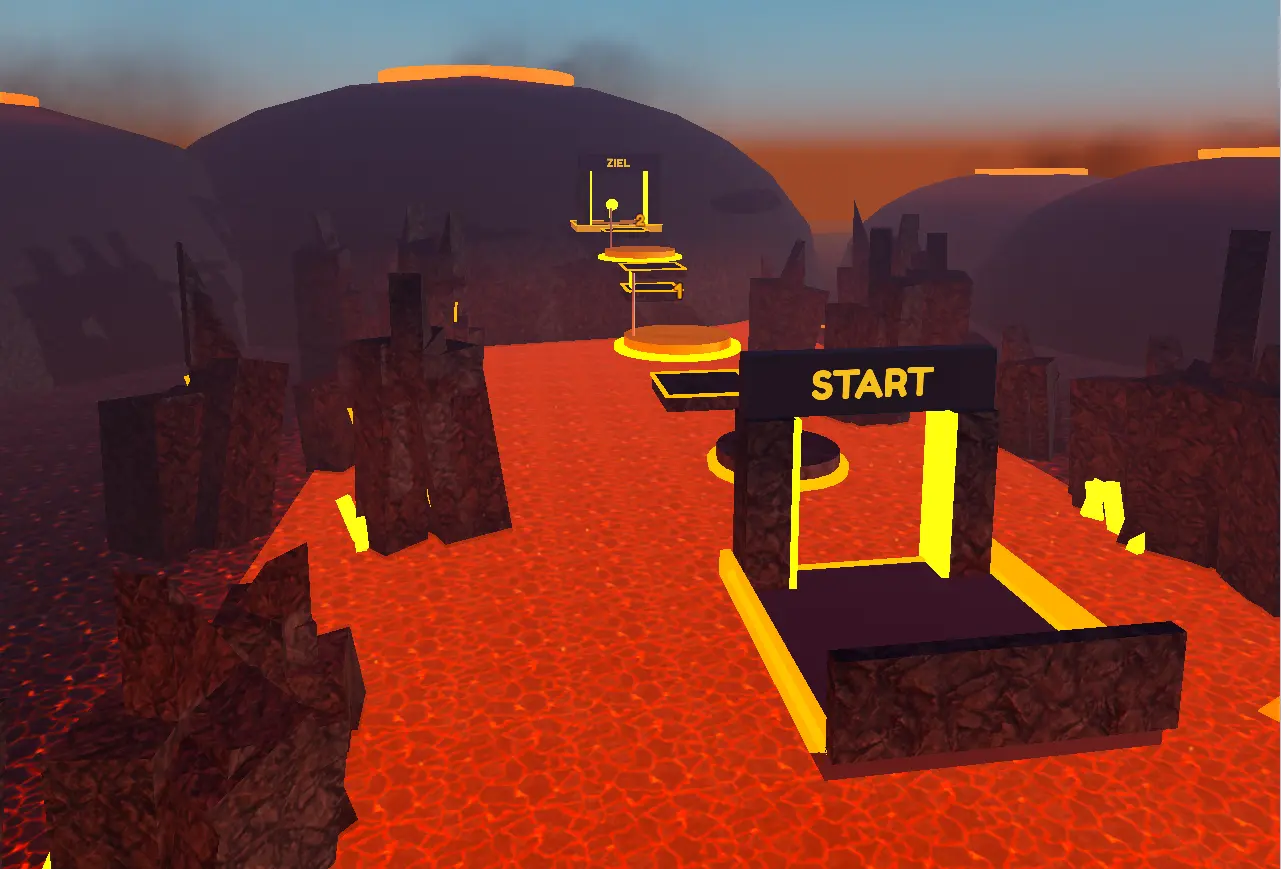
See the real prototypeOne real screenshot and two courses built in Roblox Studio
Built with Brickbrain's obby builder – same builder, two themes
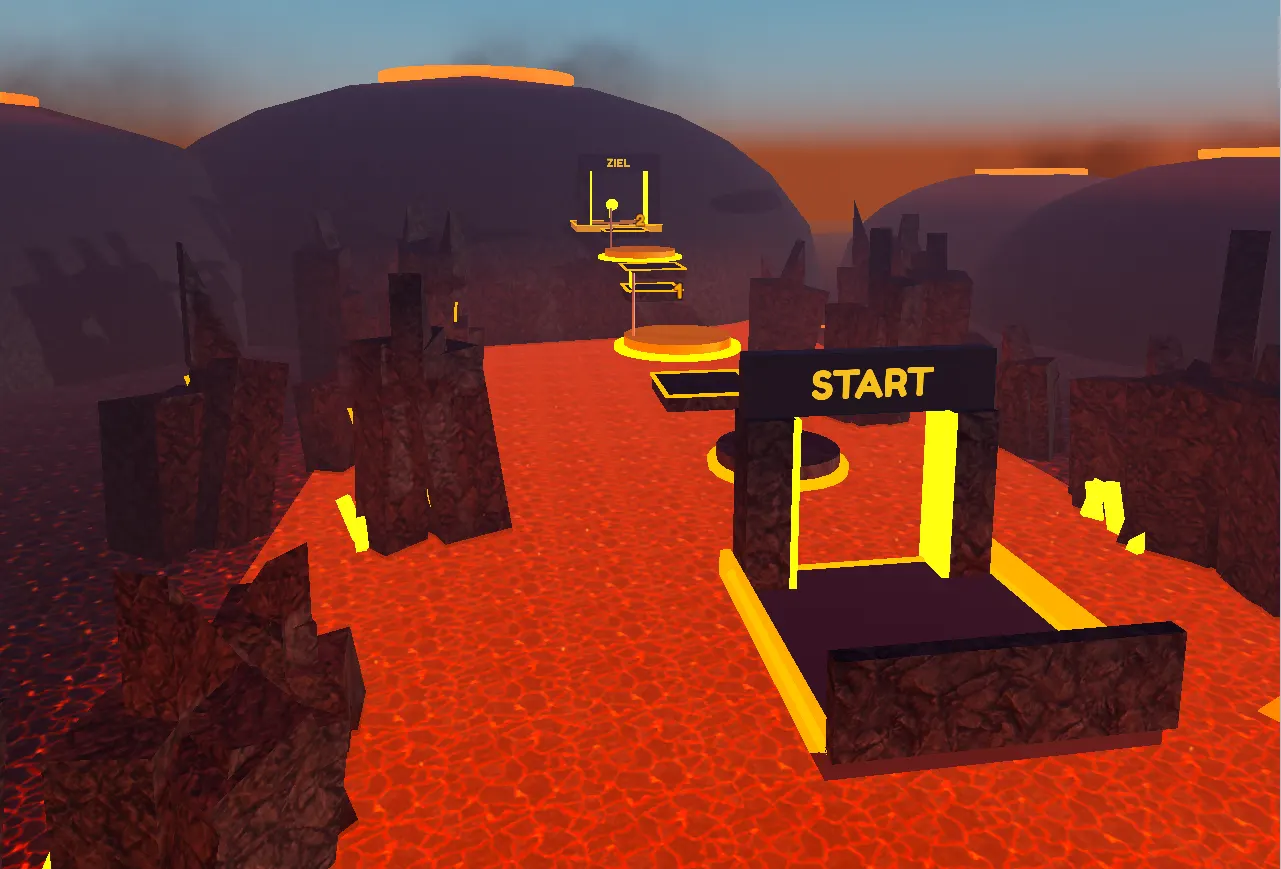
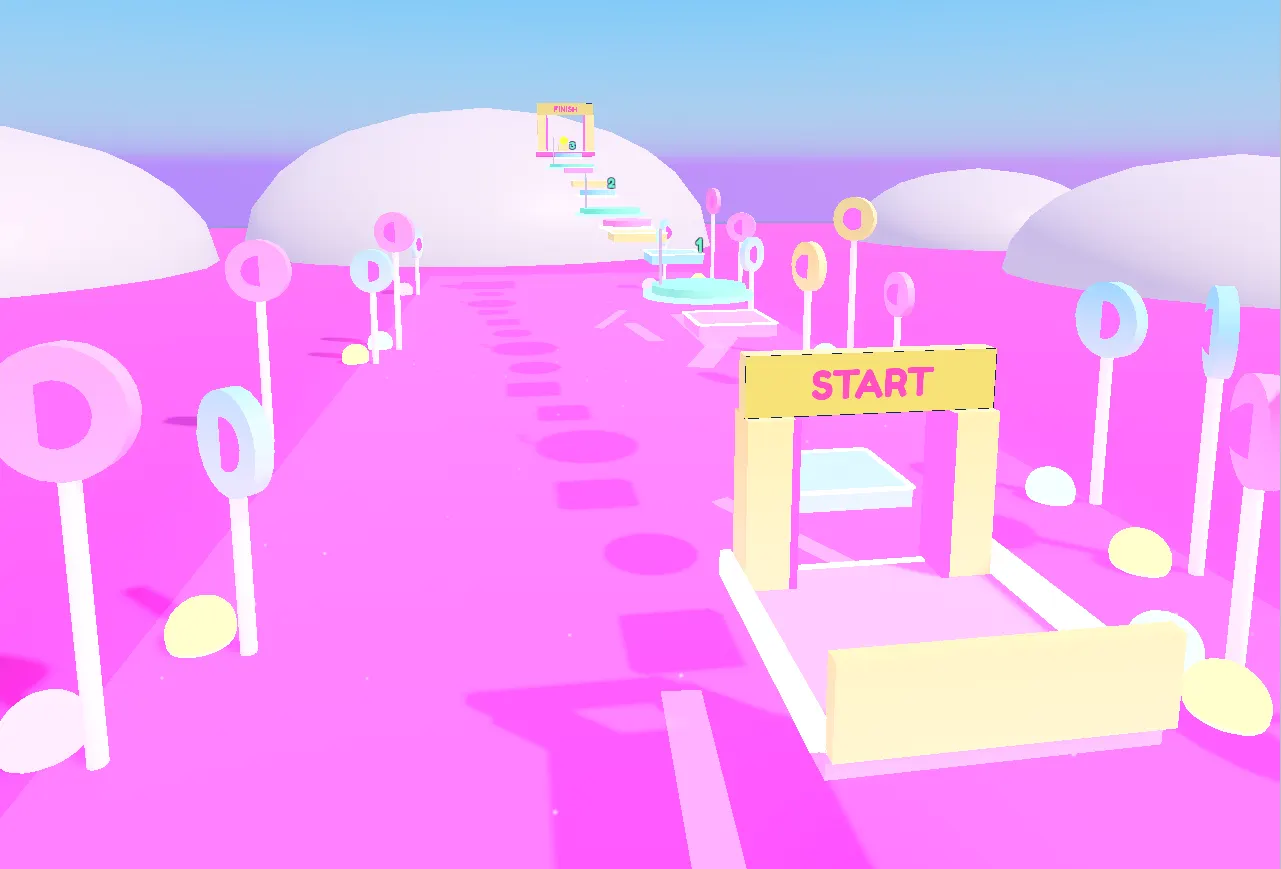
Real Roblox Studio captures · internal prototype
Contact
Compute partner, startup program or Roblox dev? Let's talk.
We usually reply within two business days.